
Reading Submissions
A submission is never filed in only one place. The same set of answers is reachable from whichever screen you happen to be on when you need it, so you are not made to remember which form somebody filled out before you can find what they said.
Every submission records every answer, whatever each question is set to update. What a question updates on the contact or the appointment is a separate matter, covered in Form Questions.
On the Forms tab
Section titled “On the Forms tab”Go to Settings > Forms, open a form, and its Submissions tab lists everything that form has received, newest first. This is your side of the form — the page your clients fill out never shows them anybody else’s answers. Each row shows who sent it and when, plus a paperclip and a count when they attached files.
Click a row to expand it. You get every answer, any files, and links through to the conversation, the contact, and the appointment.
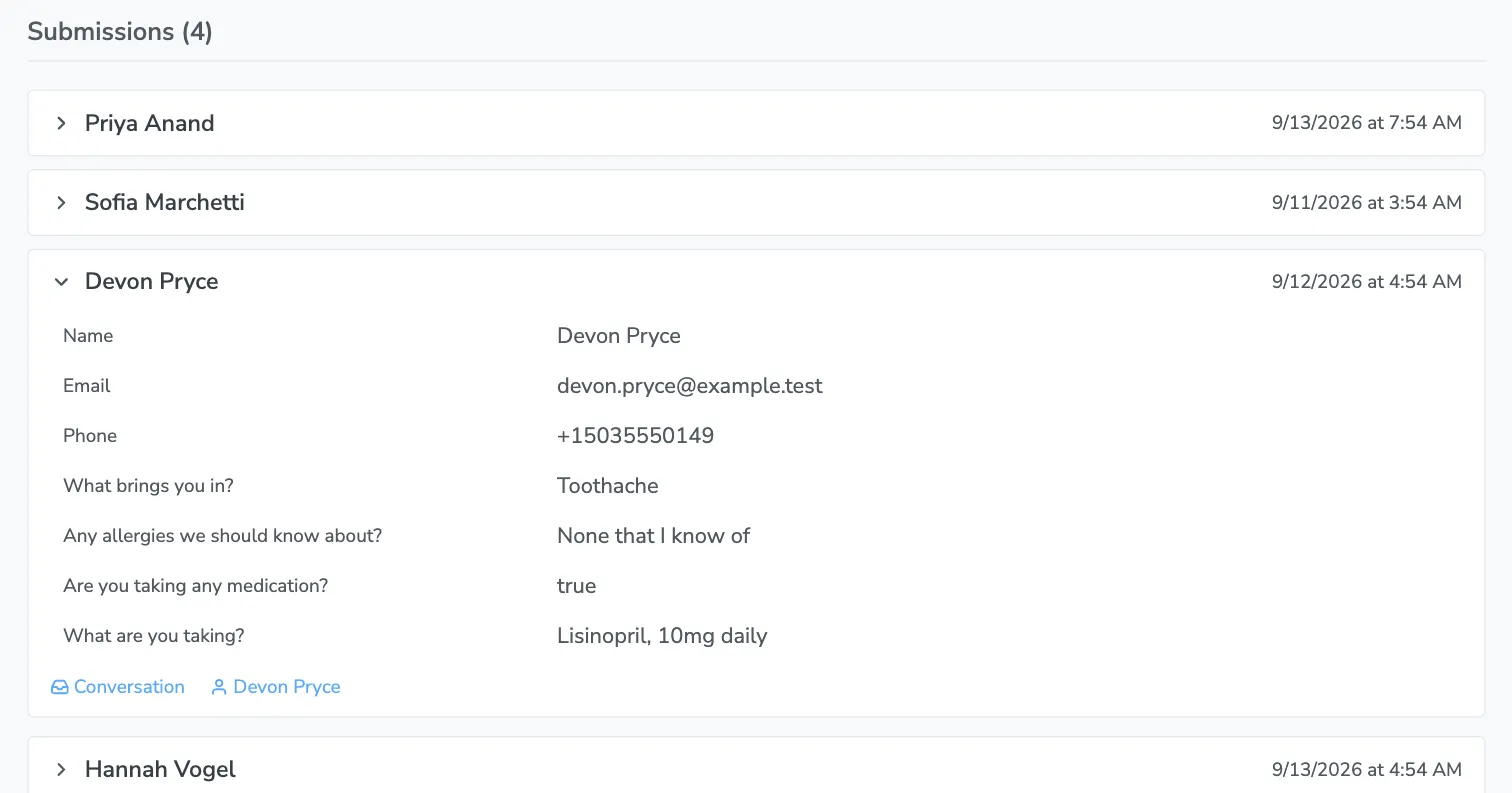
The All Submissions button at the top of the Forms tab shows the same list across every form at once, with an extra column naming the form each one came from. Use it when you want today’s paperwork rather than one form’s history.
In your Inbox
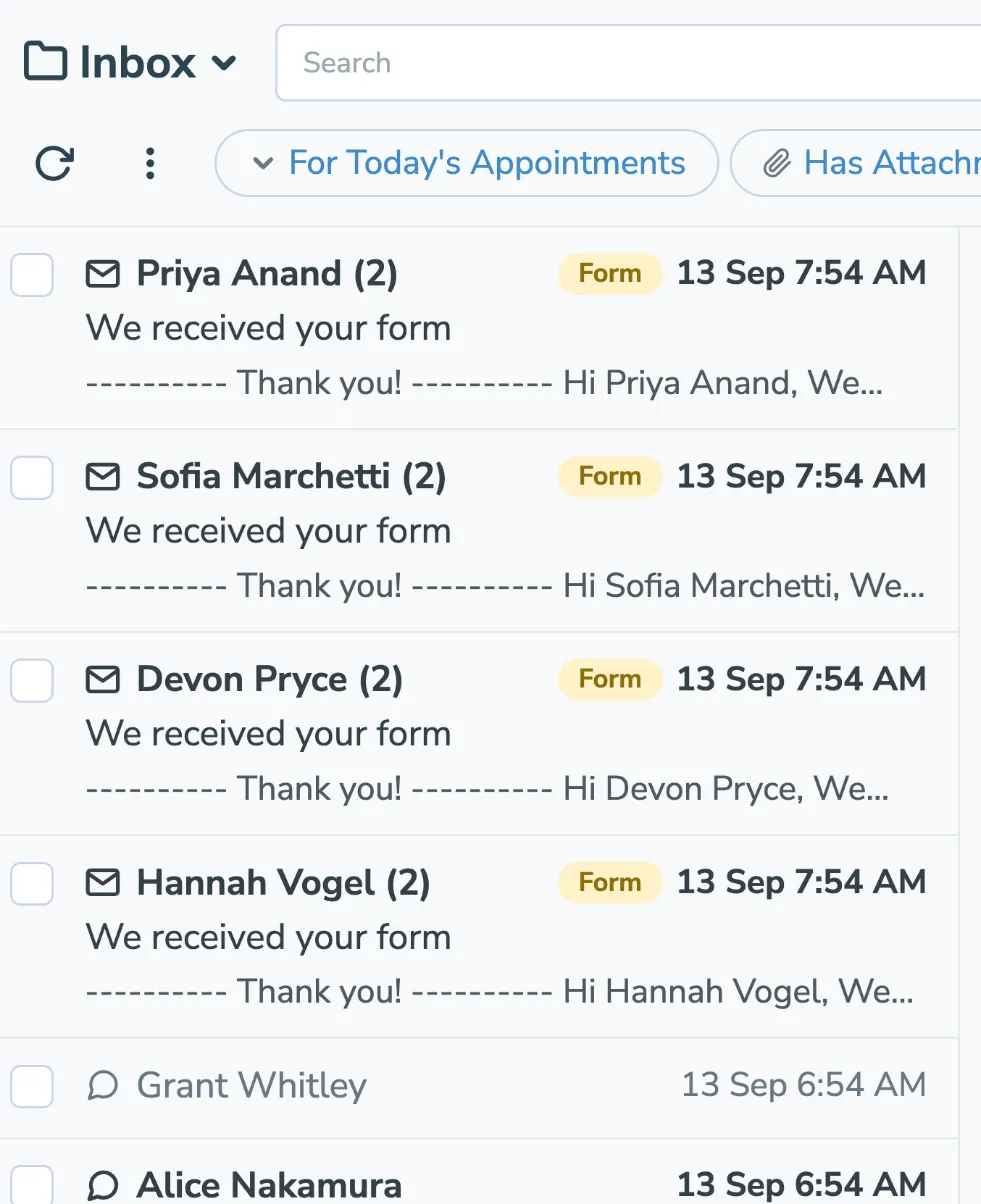
Section titled “In your Inbox”A submission also arrives as a note on that person’s conversation, so paperwork turns up in the same place their texts and emails do rather than in a system you have to remember to check.
In the message list it is tagged Form.
Open the conversation and the answers are laid out as a list, with any uploaded files attached below them. When the form was filled out about an appointment, the conversation header names that appointment.
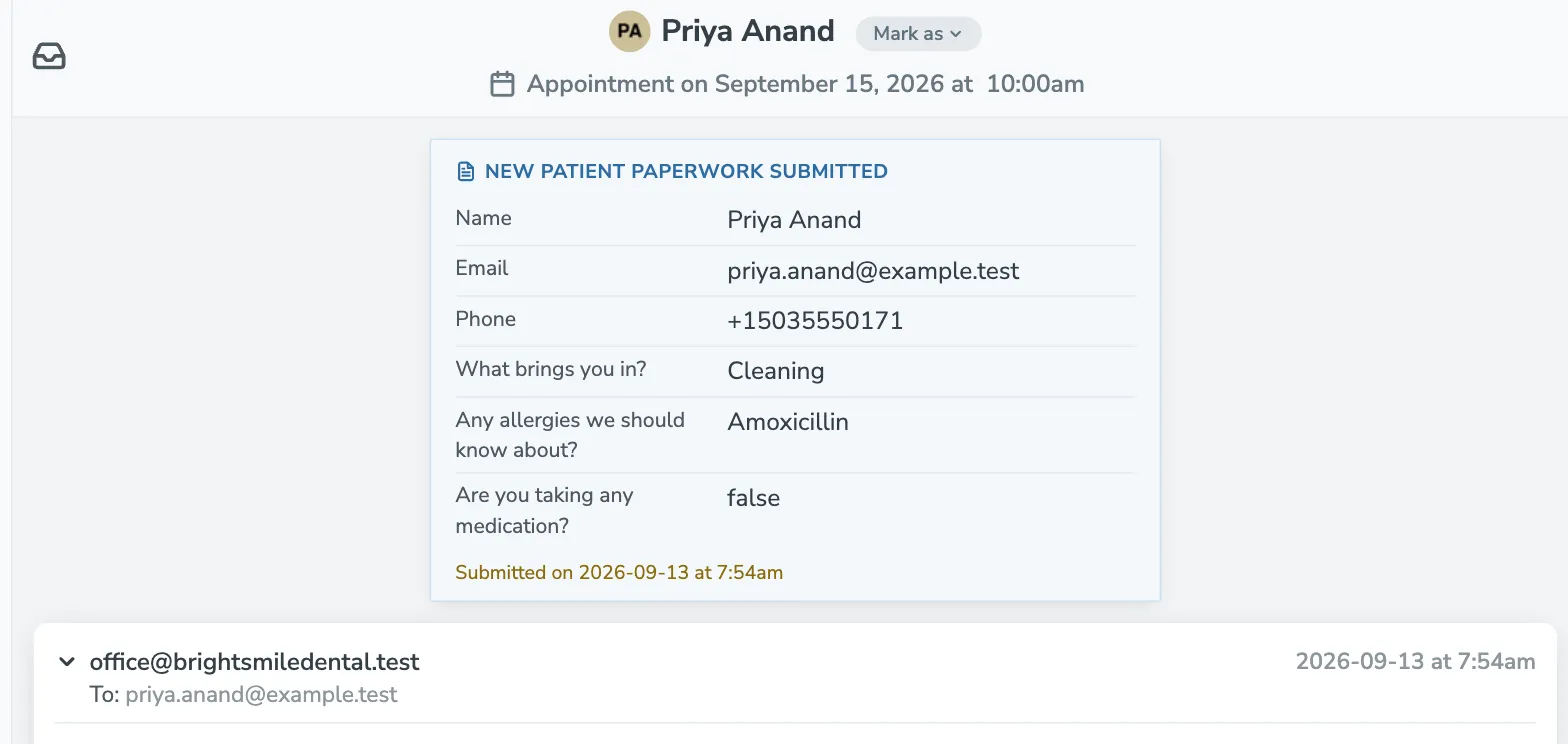
Because it is an ordinary conversation, you can reply to the person right there, and everything else you have said to them is above it.
If the form is set to send a confirmation, that email threads onto the same conversation rather than starting a second one, so the thread holds both what they sent you and what you sent back.
On the contact
Section titled “On the contact”Every contact page has a Forms section listing what that person has sent back, with the date and the appointment each submission relates to. Click a row to expand its answers, or click the appointment to open it.
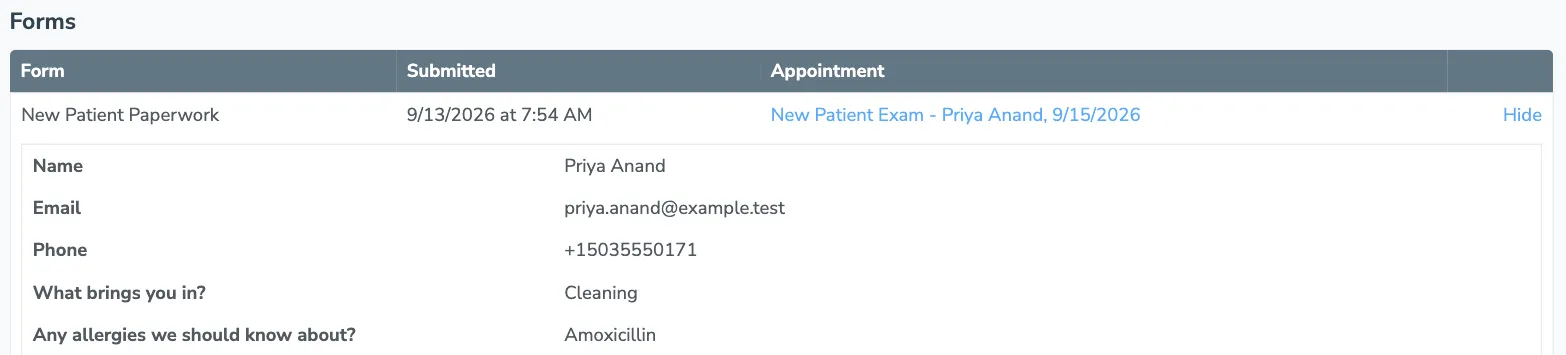
This is a list rather than a summary on purpose. The same form gets filled out before every visit, and what somebody told you last March is a different fact from what they told you this morning — a field written onto the contact can only hold the latest answer, so the history lives here.
A contact with no submissions shows no Forms section at all.
On the appointment
Section titled “On the appointment”When a form has been filled out about a specific appointment, the appointment editor grows a Forms tab with the count beside it. It shows the same answers and files, without the appointment column — you are already looking at the appointment.
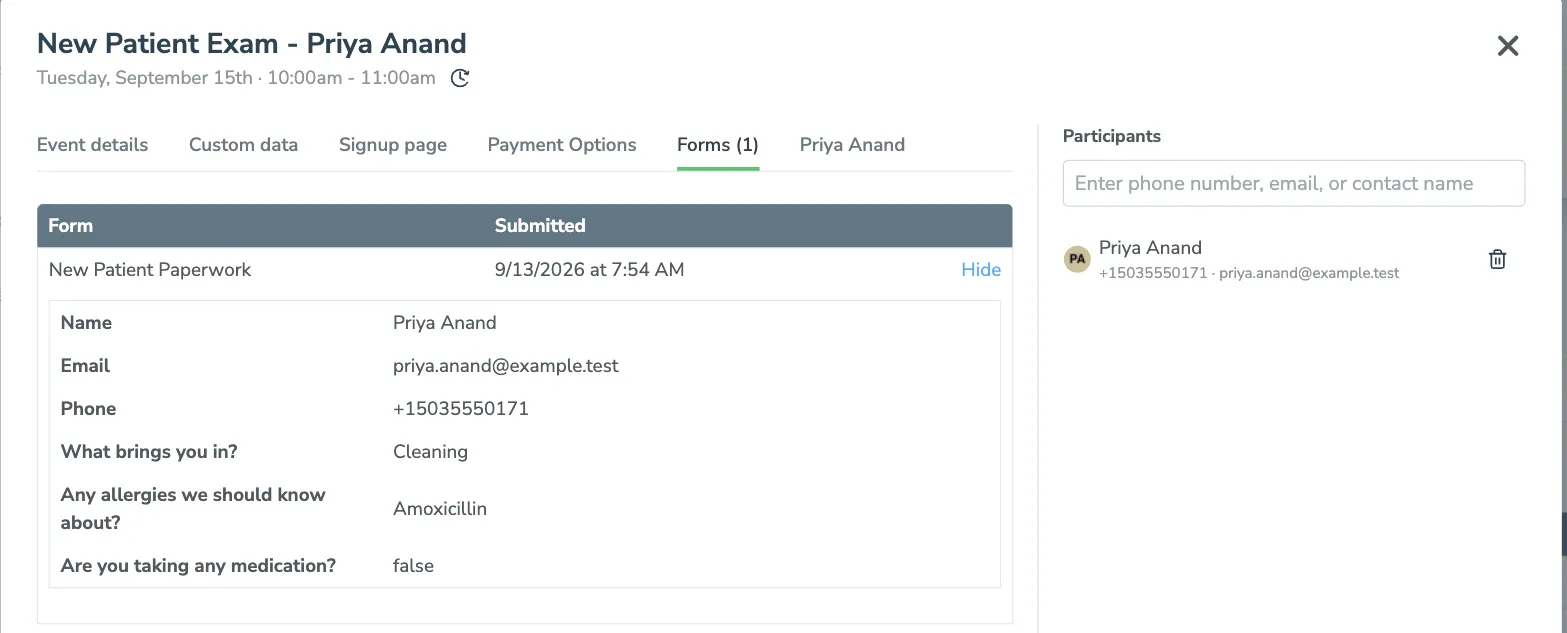
An appointment nobody has sent a form about has no Forms tab, so the editor looks exactly as it always did.