Appointment Info
View at-a-glance appointment details and open the Appointment Editor from the Agenda view.
Overview
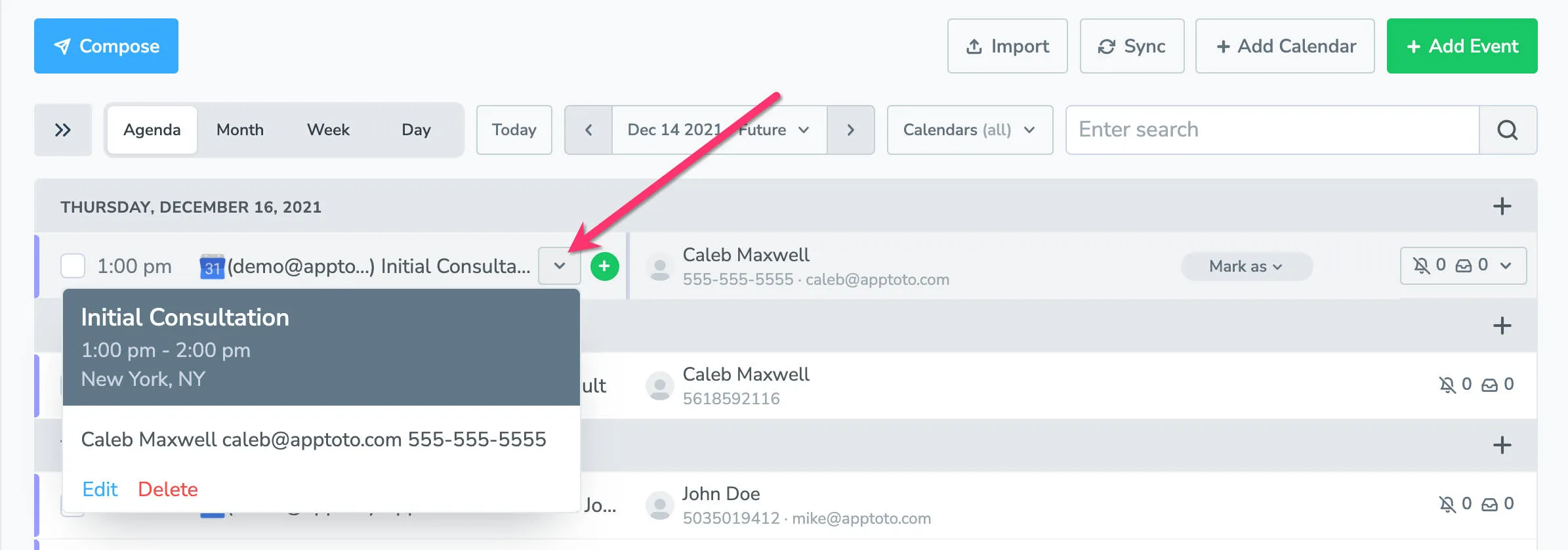
Section titled “Overview”The Appointment Info column shows at-a-glance details for each event on your calendar.
You have two ways to see more about any appointment:
- Click the drop-down arrow on an appointment row to expand it. This shows the event time, location, participant summary, and event body, plus options to edit or delete the appointment.
- Click directly on the appointment title to open the Appointment Editor, where you can view and modify all event details.