
Texts and Email
The Texts & email tab decides which incoming texts and emails the receptionist answers. Each has its own On/Off switch, and turning one on reveals the settings for it. Both are off until you switch them on.
Phone calls have a tab of their own - see Phone Calls.
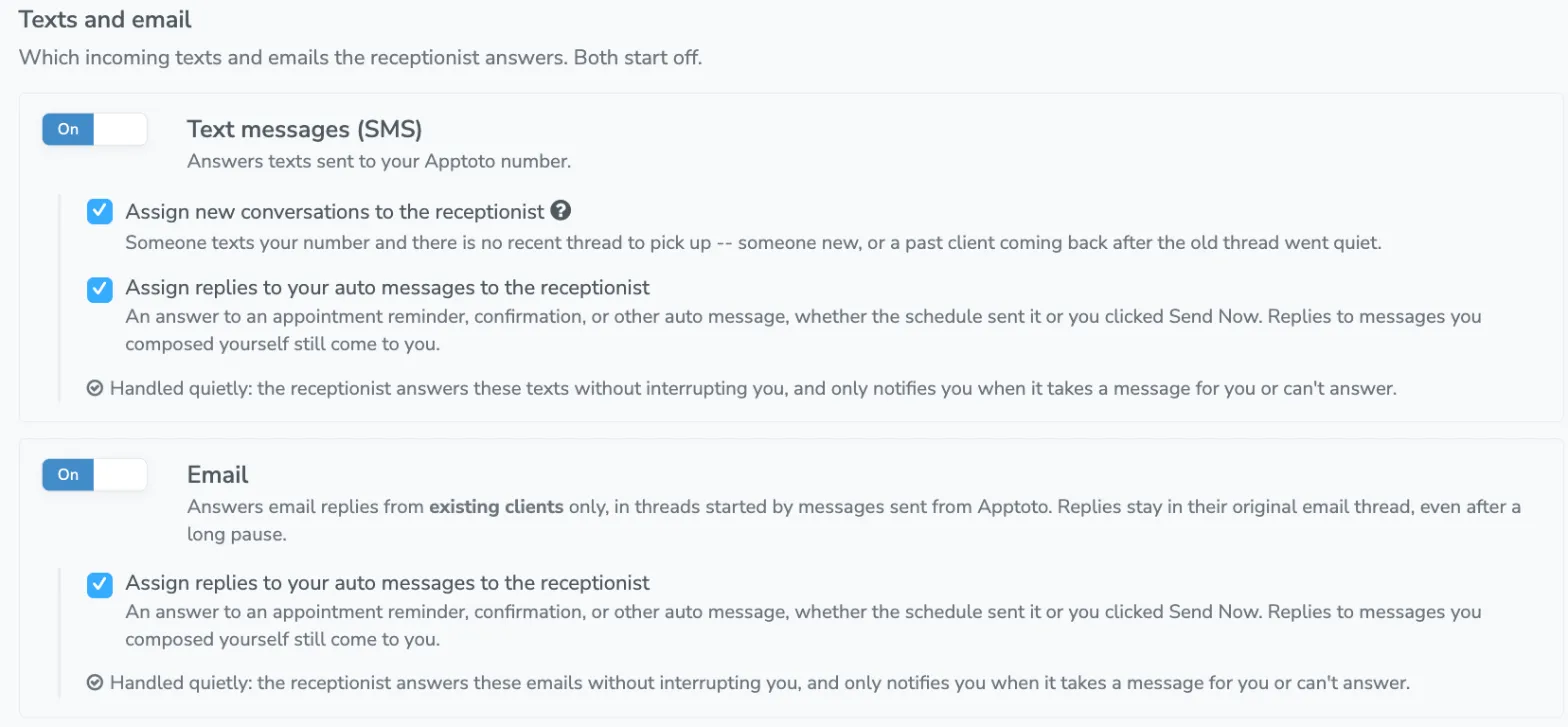
Text messages (SMS)
Section titled “Text messages (SMS)”Answers texts sent to your Apptoto number. Two checkboxes decide which text conversations are the receptionist’s.
Assign new conversations to the receptionist
Section titled “Assign new conversations to the receptionist”A text on a thread with no appointment behind it: someone new texting in, a past client coming back, or a conversation you started from the inbox.
A text that arrives more than 30 days after the last message on a thread also starts a new conversation, even if that thread began with a reminder. Someone texting a month after their appointment is not answering the reminder.
Assign replies to your auto messages to the receptionist
Section titled “Assign replies to your auto messages to the receptionist”An answer to an appointment reminder, confirmation, or other auto message, whether the schedule sent it or you clicked Send Now.
Replies to messages you composed yourself still come to you. A message written from the inbox or from an appointment, with or without a template, is yours to answer, and the receptionist stays out of it.
Answers email replies from existing clients only, in threads started by messages sent from Apptoto. It does not answer email from someone who has never been messaged from your account.
Email replies stay in their original email thread, even after a long pause, so a client answering an old message does not start a second conversation.
Assign replies to your auto messages to the receptionist
Section titled “Assign replies to your auto messages to the receptionist”The same checkbox as the one on Text, and it means the same thing: an answer to a reminder, a confirmation, or any other auto message, whether the schedule sent it or you clicked Send Now.
Replies to emails you composed yourself still come to you. Somebody at your office wrote that message, so the answer to it is theirs to read.
Notifications while the receptionist is answering
Section titled “Notifications while the receptionist is answering”Conversations the receptionist handles are handled quietly. It answers without interrupting you, marks the conversation read, and only notifies you when it takes a message for you or cannot answer at all. If you currently get an email or text every time a client replies, you will see a note on the tab confirming this once texts or email are on.
Everything it handles is still recorded. You can read any conversation in full on the Activity tab or in your Inbox.