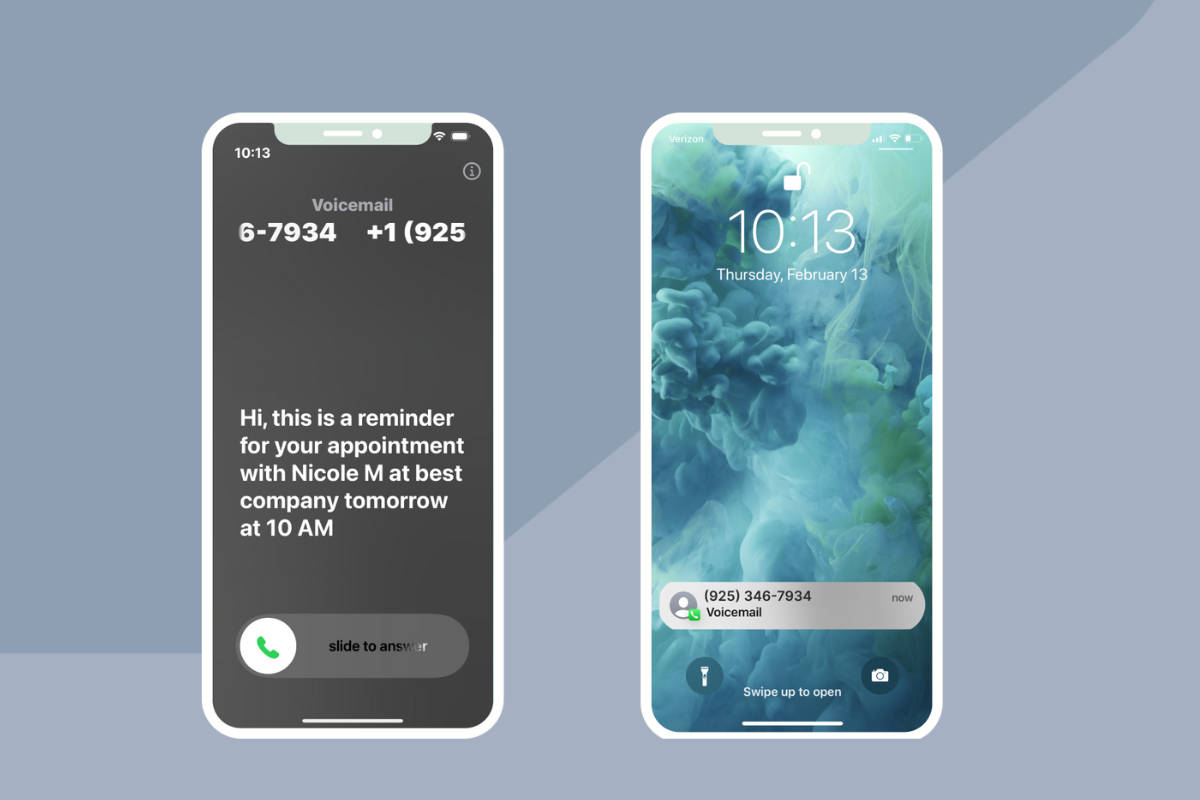
The phone rings, and you’re exactly where you should be: with a client. So is everyone else on your team.
The ringing stops. Another voicemail. Another person to call back when you have a minute. You plan to get back to them as soon as you can, but by the time you do, they may have booked somewhere else.
You’re taking care of your clients. It shouldn’t mean missing the next one.
Starting today, Apptoto can answer that call.
And that’s just the beginning. Three new tools are now available in Apptoto: an AI Receptionist for your clients, an AI Assistant for your staff, and a Soft Phone for your team.
AI Receptionist: answers the call, books the appointment
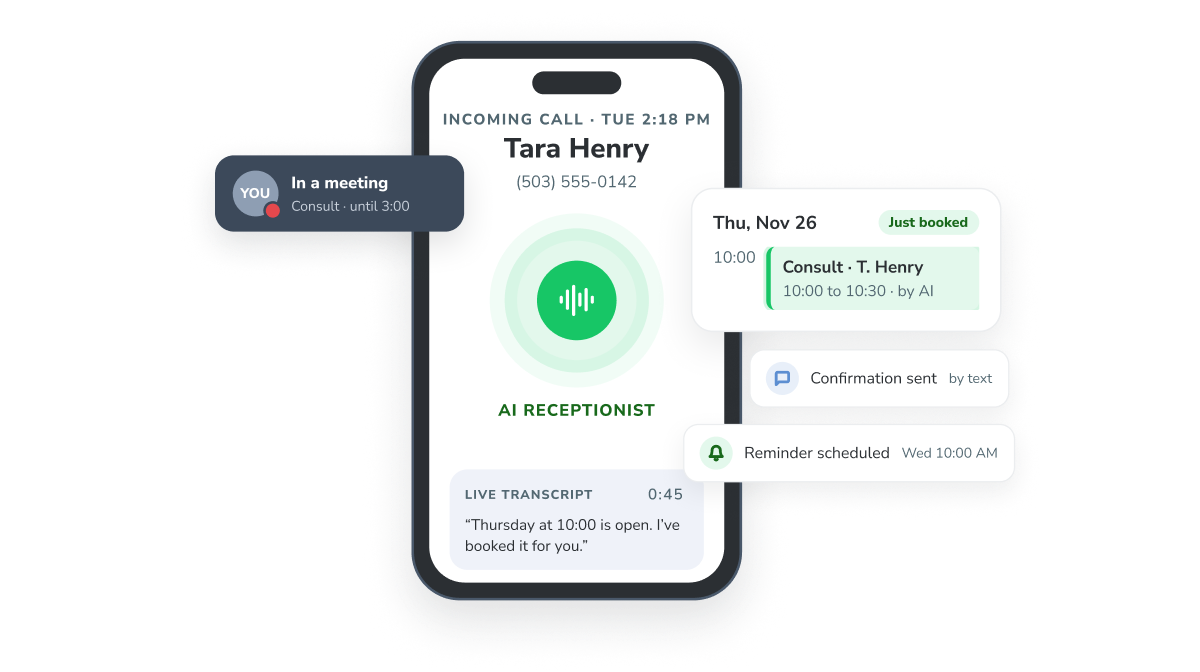
The AI Receptionist is a virtual voice assistant that answers your inbound calls, handles the questions your front desk answers all day, and books or reschedules on the calendar you already connect to Apptoto. It can recognize existing clients by their number and knows their upcoming appointments. When something needs a person, it takes a message, and you get the transcript.
An answered call is only the start. Every appointment it books gets the confirmations and reminders your account already sends, so the appointment it books is one that shows up.
You remain in charge:
- You choose when it answers. Immediately, when nobody picks up (your office phone rings first), or only outside office hours.
- You choose what it can do. Booking, rescheduling, and transfers are each a switch.
- Every call is written down. You get a transcript, so you can see exactly what was said.
- Callers know it’s an AI. Every call opens by saying so.
- It never deletes anything from your calendar.
It can also answer texts and email replies to your reminders. Both remain off until you turn them on, though.
AI Assistant: Tell it what you need & it gets to work (with your approval)
The AI Assistant turns your requests into actions. Instead of clicking through screens, you tell it what you need in plain words, like ‘move Dana’s 2:00 to Thursday,’ ‘text everyone with an appointment tomorrow,’ or ‘show me who hasn’t confirmed,’ and it does the clicking.
It’s built for you and your team, not your clients, and it never acts on its own. Before anything changes, it shows you exactly what it’s about to do and waits for you to click Approve.
If you don’t see the AI Assistant tab in your account yet, email support@apptoto.com and we’ll turn it on.
Soft Phone: your Apptoto number, now a phone in your browser
The Soft Phone turns your Apptoto number into a working phone. Your team can call and text clients from a keypad built into Apptoto. You can also answer calls to that number in the browser, and see the client’s information on the same screen.
When the AI Receptionist is on, if you get a call you can’t answer, you can choose to send it to the AI Receptionist instead of voicemail.
It’s absolutely optional: if your team would rather keep using your office phones, nothing changes.
“We’ve spent sixteen years helping businesses get their clients to show up. Answering the phone was the missing piece. But an answered call isn’t worth much if the appointment doesn’t happen, so we built the receptionist on top of the reminders our customers already rely on.”
Frank Cort, Apptoto Founder
How to turn the AI Receptionist on
- Log in, open the AI Receptionist tab, and Get Started.
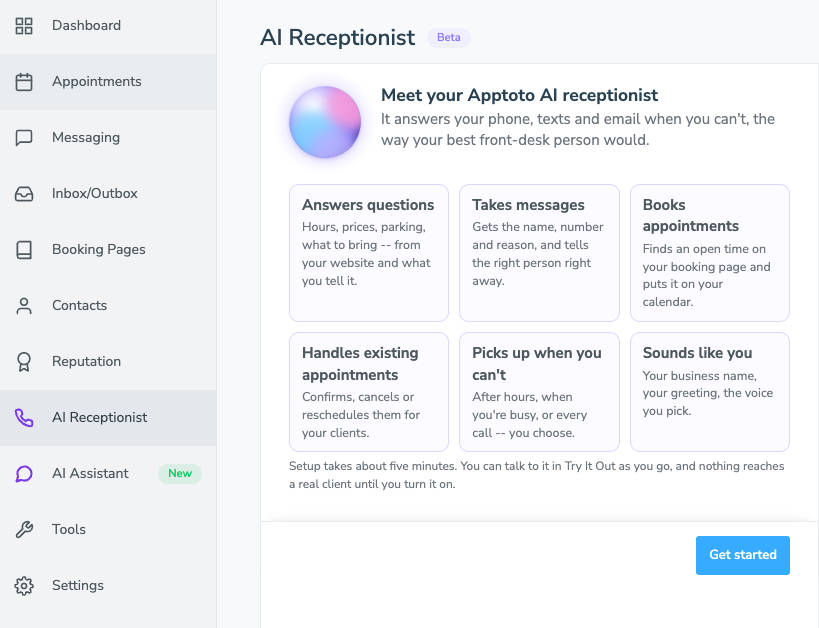
- Enter your website address. The receptionist reads it, learns about your business, and suggests the questions callers are likely to ask. Or type the details in yourself.
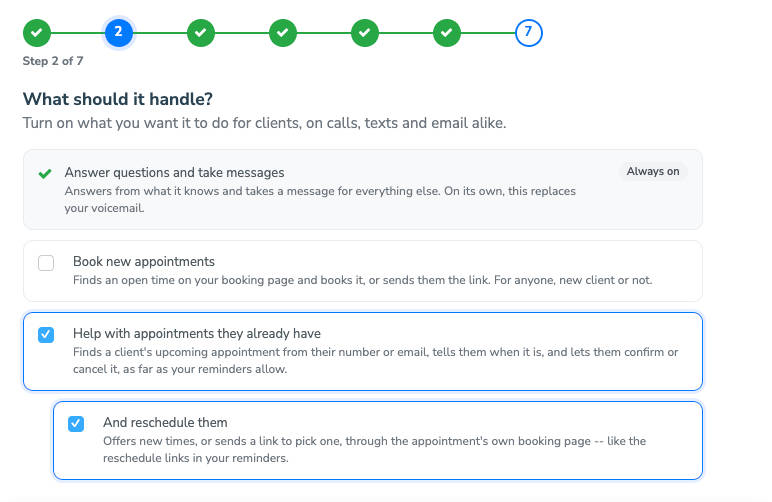
- Decide what it can do: book new appointments on a booking page you choose (either by picking a time during the call or texting a booking link), help with an existing appointment, and reschedule.
- Choose an Apptoto number, or forward your existing business line to it.
- Decide when it answers: immediately, when nobody picks up, or outside office hours.
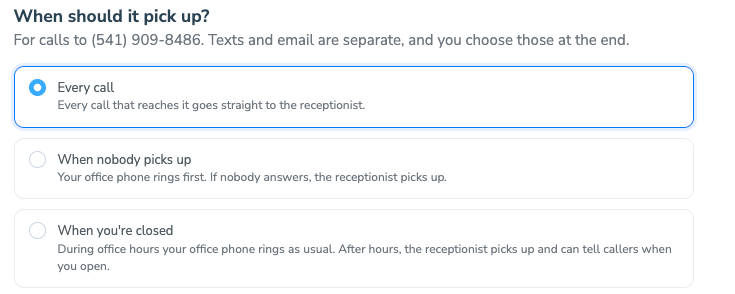
- Set who gets notified after a call, route certain topics to specific people, and choose what happens when it can’t help: voicemail or a written message.
- Pick its voice and greeting.
- Click “Try It Out” to test a call or a text.
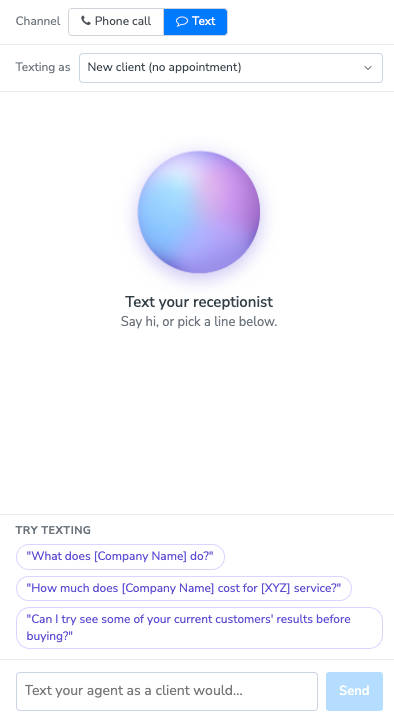
- Turn it on, and the next call your office can’t get to is handled.
The setup guide walks through each step.
How to turn the Soft Phone and AI Assistant on
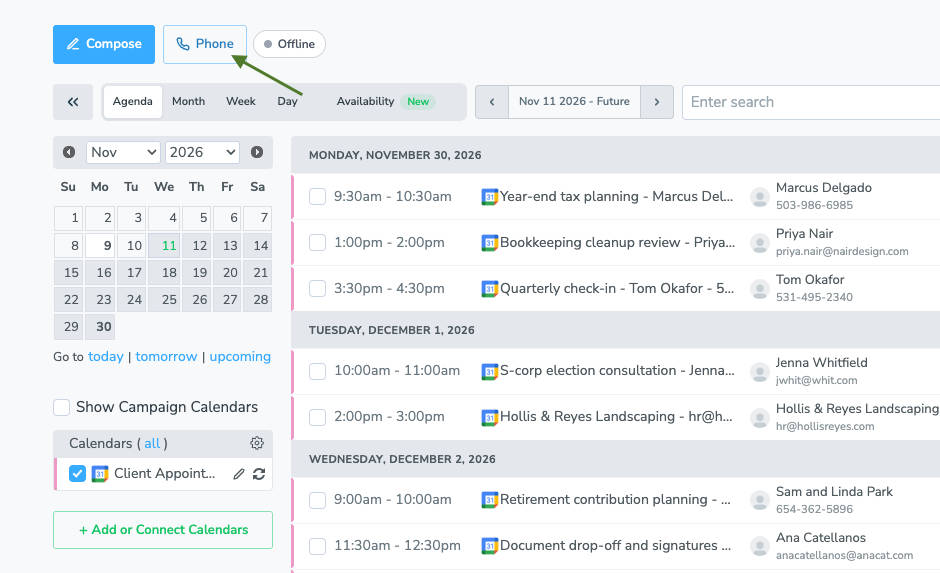
The Soft Phone is already in your Apptoto account. It’s the Phone button next to Compose on your Appointments view.
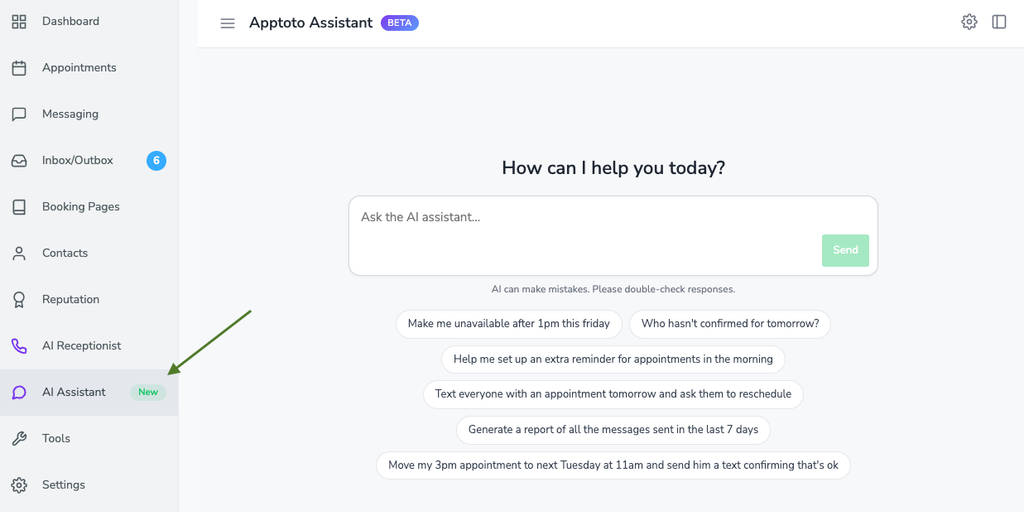
The AI Assistant gets its own tab once it’s on. New accounts have it from day one; if you’re an existing customer, email support@apptoto.com, and we’ll switch it on.
What it costs
The AI Receptionist, AI Assistant, and Soft Phone come with no monthly fee. You pay for what you use.
Every account (whether you’re trying us out for the first time or you’ve been with us for years) starts with $100 in AI credits (5,000), so you can put them to work and see what they do for your office immediately.
| Feature | What it uses |
|---|---|
| AI Receptionist calls | 2 message credits per minute, plus AI credits for the work it does on the call |
| AI Receptionist texts and email | 1 message credit per 300-character text (like any other automatically sent text), plus AI credits |
| AI Receptionist email | 1 message credit per email (like any other automatically sent email), plus AI credits |
| AI Assistant | Chatting with it is free. Messages it sends for you count like any other automated message. |
| Soft Phone calls | Outbound calls (calls you make): first 5 minutes free, then 1 message credit per 2 minutes. Inbound calls: 1 message credit per 2 minutes. |
Two kinds of credits
Message credits cover delivery: call minutes, texts, and emails. You already have them in your plan, and nothing about them changes.
AI credits are new. They pay for the work the AI Receptionist does on a call: understanding the caller, checking your calendar, booking the appointment.
Chatting with the AI Assistant doesn’t use either one.
When you need more, go to Settings > Account & Billing > Purchase AI Credits. Packs come in 1,000, 2,500, 5,000, 10,000, and 20,000, starting at $20 for 1,000. If you’d rather not watch the balance, turn on auto top-off: pick a threshold and a pack size, and Apptoto refills it for you.
The AI Receptionist and Soft Phone are available in the US and Canada.
For a full breakdown, see our pricing page.
“Before, calls would just go to my voicemail, and then I would have to return them. Now it gives me a summary of what the customer wants so I can return the calls with more information.”
Taylor Heagy, Owner – Taylor’d Nails
More resources
Visit our knowledge base to learn more about each new product and start using them in your account.
Spend your time with clients, not your callback list
Get back the hours you spend on the phone, on following up, and on saying over and over: “Let me check and get back to you.
Over the next few weeks, we’ll dig into the AI Receptionist, AI Assistant, and Soft Phone with tool deep dives, tips and tricks, and how offices like yours are already using them.
But the best demo is the one you see for yourself: turn it on, step away from your desk, and call your own number.
New to Apptoto? Start a free 14-day trial. No credit card required, and your $100 in AI credits will be waiting when you log in.
Questions? We’re at support@apptoto.com.